Modules
Basics
Modules give your access to numerous additional features, settings or controls.
Location
Access the Modules by clicking on Modules (manage Modules) at the top left of the interface:

Keyboard shortcut: Cmd + 6
New Module
Simply click on the "+" button to add the Module Instance of your choice:

Module Instances List
Added Modules will be listed on the left in the Module Instances List:
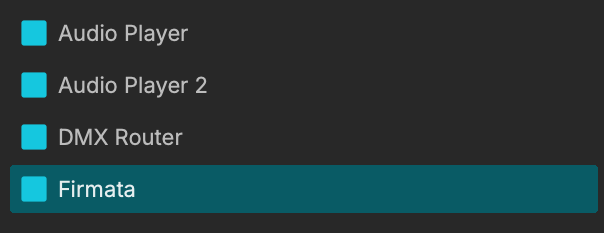
Activate / De-activate a Module with its blue box.
You can't create Module groups.
MadMapper Modules
Audio Player Module
Allow the use of audio files : drag and drop a mp3, wav, aiff, etc. in MadMapper to instantly launch the module and even create cues with it.
Calendar Scheduler
Trigger Scenes and Cues at specific dates and times from any calendar application with the Calendar Scheduler Module.
Control Surface
Control Surface module lets you visualize, navigate and trigger your Scenes and Cues using one of the currently supported MIDI control surface devices.
AKAI Professional APC mini Mk2
AKAI Professional APC40 Mk2
Novation Launchpad MK2
Launchpad Mini Mk3
Launchpad X
Controls Combiner
Mix multiple controls with different combinaison modes.
Cue Scheduler
Schedules your cues/columns with the Cue Scheduler Module.
Device Activity
Add numerous controls with the Device Activity module.
DMX to OSC
Forward a DMX universe as an array of floating point values
Idle Timeline
Gives more controls on your Timeline(s).
DMX Router
Allow you to route ArtNet / sACN universes to one or multiple USB-DMX devices such as Enttec Pro/mk2 or garageCube USB-DMX.
Macro Module
Allow you to create widgets that can be mapped to multiple Controls.
MadLight Player
Play your recorded DMX sequences with ease.
MiniMad Controller
While on the same Ethernet network, control your MiniMad units (Video or Light) remotely from with MiniMad controller instances.
MIDI Out
With the MIDI Out Module, MadMapper becomes a MIDI controller for your compatible third-party software or devices.
OSC Out
The OSC Out Module allows you to send OSC requests from MadMapper.
Oscillator
Use this module as a control with numerous signals and parameters.
Oscillator 2D
The Oscillator 2D module is identical as the previous one but with two phase settings.
Oscillator Bank

Identical as the previous Oscillator module but integrates offset.
Pollution / Weather
These modules allow you to retrieve data from your environnement such as the temperature, cloudiness, day position, humidity, carbon monoxide, ammonia and more.
RandomNoise
Startup Timeline
More Timeline(s) controls!
Timeline Scheduler
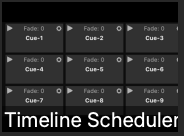
Timeline Scheduler ensure a timeline get started when we’re inside the time range, between Start time (hour/minute/seconds) & End time, if the “Date” settings matches current day.
In Depth:
The timeline (a scene or a cue, animated or not) will be started when:
- Loading the project and we’re inside the time range.
- When entering the time range (because time elapses or because we’re editing Start/End time).
The timeline will be stopped when:
- Leaving the time range (because time elapses or because we’re editing Start/End time) while the timeline was started by this same module.
If "End/Stop on Loop End” is enabled, the timeline will be paused when reaching loop end (except if playhead is after loop end).
If the target bank is not the current bank, the scheduler will not change current bank but it will start the timeline in the desired bank.
When timeline is started, if grid has horizontal or grid exclusivity, it will be handled, like if user clicked the play button.
So End time doesn’t change anything for a non animated scene or cue, except when loading project (so on computer startup in an fixed installation with project loading at computer start).