v6 New features
Timelines
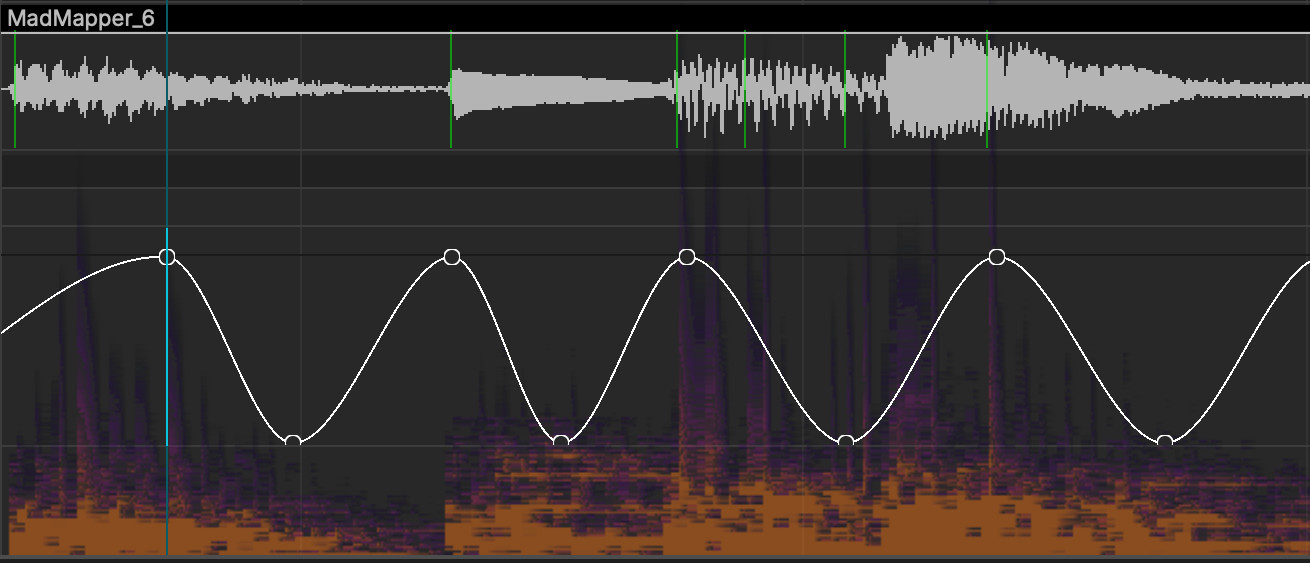
A long awaited feature, the timelines now allow for any parameter animation. Sculpt your animation curves in realtime, pick your keyframe interpolation method, from Bezier to Flat interpolation, we've got you covered. Add audio, sync to the music et voila!
Montage Tracks
Compose your story, experiment. Create as many montage tracks as you like as with non linear editing software. Cut, chop, arrange or time-reverse your medias the easy way. Before or once you’ve crafted your montage track, simply assign it to the surface of your choice. MadMapper will take care of the details!
Timelines Grid
Upgrade your good ol' Scenes and Cues grid to animation. Improvise, combine, surprise yourself. Multiple timelines offer the flexibility to improvise by managing various sequences and switching between them to respond to the moment. Additionally, you can define even a trigger exclusivity.
The Conductor
It's the Conduct of your entire show ! Its dedicated view lets you organize your entire project, providing the info your need at your fingertips, and features a bird's eye view of your entire show. You can also use it to montage timelines !
Animation Clips
MadMapper 6 also introduces Clips : short, repeatable, and loopable segments. These are ghostable and can be consolidated as unique elements as well. It's a great way to manipulate your content !
Audio Tracks
Audio tracks come with advanced FFT analysis and automated BeatTracking to snapping points, offering powerful new options for audiovisual synchronization. It provides a visually stunning and practical way to see audio frequencies, making it easier than ever to snap triggers with precision. on the beat. A wonder for syncing visual elements to the music !
Time Markers
Within your timeline tracks, you can set up markers with follow actions to bring basic logic and interactivity to your timelines. Wait for specific events such as button presses, custom goto to jump to specific parts of your show based on different actions and so on... Booya !
Export to File
Another game-changer: you can now bake your entire mapping, including Laser, DMX, Video, and Audio elements, all in one go! Whether it’s your entire project or just a loop section, simply click the Export button in the top-right corner of the timeline and you'll get access to this export window including audio, video codecs settings, and more.
DMX samplers
DMX fixtures now sample directly into the output composition! Composite surfaces in realtime and convert your layer stack to light ! By default, this enables automatic DMX canvas generation, but for more accuracy you can also define a custom DMX canvas for pixel-perfect control. Plus you can create multiple canvas instances in the projectors tab.
New UI
We've worked hard on a UI refresh to give your favorite software a more professional look and feel. One more standout change: the media pool is now conveniently positioned on the left, right beside the surfaces in order to put everything you need within easy reach. One trick though - if you prefer the previous layout, you can switch back via the View / Separate Media Tab menu (or the icon top right of the interface). However keeping media on the left greatly improves comfort and workflow when using the timeline !
Offline Library
No more reliance on online materials and fx ! When you first start MadMapper, your entire library downloads directly to your computer, making it so much more convenient for offline work. The Library tab therefore hosts all your materials and fx, giving you quick access whether you're online or offline !
Projects workspace & Consolidation
We’ve significantly enhanced project structure capabilities, now embedded in a local workspace. So you create a project, save it, and instead of having a .mad project, you now get a local workspace hosting your entire project. The workspace includes everything ! From materials and media to auto-saves, making it easier than ever to keep all project elements in one clean, accessible location. Collect and save your ressources from the File menu, then simply copy this entire folder to transfer your project to another computer !